In modern veterinary practice management, the quality of your service is tied to the quality of your technology. Juggling disconnected systems for labs, payments, and client communication isn’t just inefficient; it’s a barrier to growth and a drain on your team.
Integrations are the key to unlocking a truly streamlined practice. By connecting your veterinary Practice Information Management System (PIMS) with the essential tools you use every day, you can eliminate data silos, automate tedious tasks, and free up your team to focus on what they do best: caring for patients.
But in 2026, choosing a veterinary software isn’t just about asking WHICH integrations are available. You also need to understand HOW integrations are delivered, maintained, and experienced by the team using them every day.
What Are Veterinary Software Integrations?
In simple terms, an integration connects your practice management software with other apps and systems so that data flows seamlessly rather than being manually re-entered, copied, or handled in isolated silos.
At the center of this ecosystem is your PIMS, which consolidates all core practice data, including:
Patient records
Appointments
Invoices and payments
Inventory and prescriptions
Client communication
Key Challenges Integrations Solve for Veterinary Practices
Before we look at the must-have integrations, it’s worth pausing on what they actually fix. Most daily headaches in a veterinary practice stem from disconnected systems.
✓ Duplicate data entry. The same client and patient information is typed into your PIMS, lab portal, and accounting tool separately. Every extra step increases the risk of errors and outdated records.
✓ Constant context switching. One screen for appointments, another for lab results, a third for payments. Each system pulls your focus away from patients and adds minutes to every task.
✓ Blind spots in reporting. When half your data sits outside the PIMS, you can’t see the full picture. Simple questions — like “Which services are most profitable?” — become manual detective work.
✓ Fragmented communication. Reminders, follow-ups, and test results flowing through disconnected channels means messages slip through the cracks. Pet owners notice when your clinic feels disorganized, even if it’s just the software slowing you down.
✓ Inventory blind spots. When stock isn’t linked to patient care, commonly prescribed items run out while other products sit on shelves — because no system is connecting treatments to supply.
Integrations solve all of this. They integrate every step of the workflow into a single continuous process so your team can stop managing software and focus on what matters most: delivering care.
Integrations Every Veterinary Clinic Needs
1. Labs & Diagnostics
Laboratory integrations are among the most valuable connections a practice can establish.
When properly integrated, lab systems automatically pull patient information from your PIMS when you submit a test, then push results directly back into the patient’s medical record when complete. This two-way sync eliminates the risk of typos from manual data entry and ensures that critical diagnostic data is available the moment you need it.
On modern platforms like Digitail, this seamless integration with major providers such as IDEXX, Antech, Ellie Diagnostics, Zoetis, and many others is a standard feature, transforming a time-consuming task into an automated, background process.
2. Imaging & Radiology
Through integrations with imaging platforms and radiology providers, clinics can attach images and reports directly to patient records, keeping diagnostics accessible within the clinical workflow rather than scattered across separate systems.
Digitail integrates with imaging and radiology solutions such as IDEXX, Sound SmartPACS, Parasight, and soon be integrated with radiology providers like Vets Choice Radiology and Radimal, helping ensure diagnostic images and interpretations remain connected to the patient timeline.
3. Inventory & Pharmacy
Effective inventory management hinges on accurate, real-time data.
Integrations with your veterinary suppliers and online pharmacies create a direct link between the treatments you provide and your stock levels. When a product is dispensed or used during a procedure, the system automatically adds it to the client’s invoice while simultaneously deducting it from your inventory count. This prevents missed charges and ensures your stock levels are always up-to-date, turning your pharmacy into a well-managed and profitable part of your practice.
For instance, Digitail integrates with purchasing platforms like Vetcove and CDMV to simplify procurement, while specialized programs such as Inventory Ally help optimize stock levels and reduce costs.
The real power, however, comes from extending this ecosystem to include digital scripting and home delivery. This allows practices to offer clients the convenience of an online pharmacy, managed directly through the PIMS. For example, Digitail’s integrations with services like Vetsource and Blue Rabbit let you write and approve prescriptions that are delivered straight to your clients’ doors. You maintain clinical oversight and retain revenue, all without having to physically stock every item. It’s a unified approach that creates a seamless experience for both your team and your clients.
4. Payment & Accounting
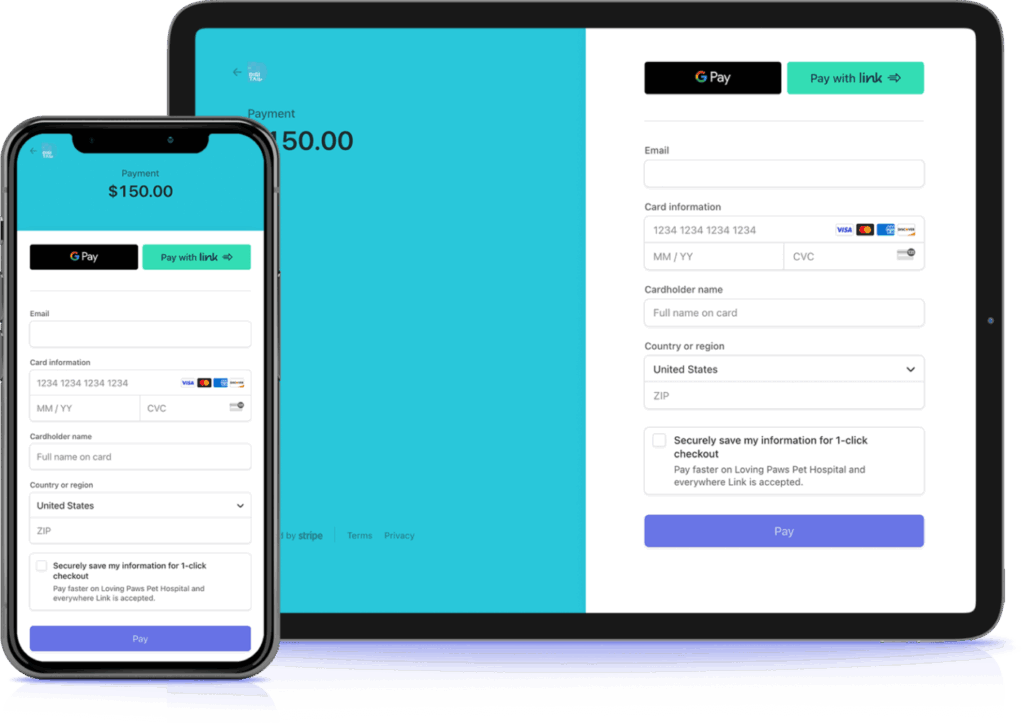
The front desk is often a major bottleneck, especially during checkout. Manually entering invoice totals into a separate payment terminal and then reconciling reports at the end of the day is a tedious and error-prone process. Integrated payment and accounting solutions solve this. Invoice totals sync automatically to payment systems, reducing manual entry and speeding up checkout.
Digitail supports integrations with popular payment and financing solutions such as Stripe and CareCredit, allowing clinics to accommodate a wide range of client payment preferences.
5. Client Engagement & Communication
To manage the constant flow of client interactions, many clinics integrate their PIMS with specialized communication tools. This can include AI-powered receptionist services like Dodo to automate calls and texts 24/7, or messaging platforms like Twilio SendGrid or Sinch, that enable automated appointment reminders and other communications at scale.
6. Marketing & Reputation Management
Growing a practice requires proactive outreach. Marketing integrations connect the PIMS to tools that automate the process of building your brand’s reputation. For example, integrations with services like ReviewTrackers and ReviewTree can automatically send review requests to clients after their visit, helping to boost your star rating and improve your presence in local search.
Third-Party Integrations vs. Built-In PIMS Features: What’s the Difference?
Having a robust suite of integrations is a great start. But relying on third-party connections for your most frequent, mission-critical tasks creates a new set of problems: workflow friction, data lag, multiple subscription fees, and a disjointed experience for both your team and your clients.
This has led to the rise of the all-in-one PIMS, where core functionalities are no longer “integrated” but are natively built in.
What’s the Actual Difference?
Built-in means the feature was developed as part of the PIMS itself. It shares the same data, the same interface, and the same workflow as everything else in the platform. No extra setup. No separate login. No sync to manage.
Third-party integration means your veterinary software connects to an outside tool via an API or data sync. The tool works independently — it has its own updates, its own support, and its own way of handling data. Your PIMS and the third-party tool need to stay in sync, and that sync can slow down, break, or require manual intervention.
Built-In Features
Third-Party Integrations
✅ One System, One Workflow
❌ Multiple Systems & Logins
✅ Instant, Real-Time Data
❌ Potential for Data Lag or Sync Errors
✅ Seamless User Experience
❌ Clunky, Disjointed Workflows
✅ One Subscription, One Support Team
❌ Multiple Bills & Support Contacts
✅ Perfectly Consistent & Reliable
❌ Connection Can Break or Degrade
So Should Everything Be Built In?
Not necessarily. Some tools, like lab systems or imaging platforms, require specialized infrastructure and will always be third-party. That’s completely normal, and a good third-party integration handles that seamlessly.
But for features your team uses dozens of times a day — payments, client communication, AI — the difference between native and third-party adds up fast. Every extra step, every sync delay, every separate login is friction that slows your practice down.
How This Looks in Practice: Examples from Digitail
Digitail is built around this modern approach, combining essential integrations with deeply embedded native features. Here’s what that looks like in practice:
1. Digitail Secure Payments
Digitail Secure Payments is built directly into the PIMS, creating a single, unified system. This native functionality sends the exact invoice total directly to the terminal, saving up to 30 seconds per transaction for a faster checkout and eliminating costly manual entry mistakes.
Because the system is fully automated, reconciliation time is slashed from a daily, hours-long chore to a task that takes just minutes.
All transactions are logged directly in Digitail, providing simplified financial tracking without juggling third-party tools. This all-in-one approach also allows for more flexible options that clients appreciate, like sending instant payment links via text or email and securely storing cards on file for a seamless, Uber-like checkout experience.
2. Pet Parent App
Managing client communication across multiple platforms—email for reminders, a separate app for booking, and another tool for telemedicine—creates a fragmented experience for pet owners and a logistical headache for your team. Every system adds another login, another inbox, and another chance for missed messages.
While some PIMS address this by integrating with various third-party communication tools, Digitail delivers this through its native iOS/Android app, which syncs perfectly with the platform, making it a natural extension of it. Pet Parent App brings every client interaction into one place. Pet owners can:
Book appointments directly in real time and manage upcoming visits without phone calls.
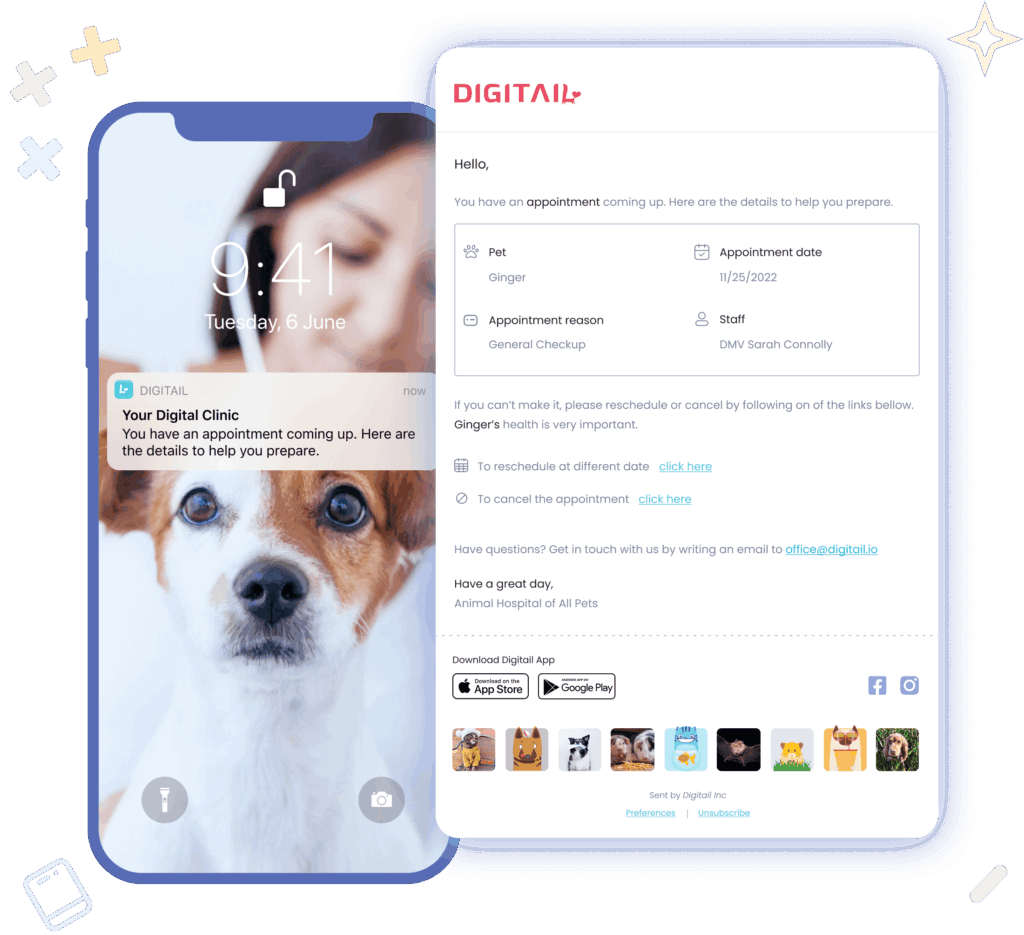
Receive smart reminders via email, text, or push notification so no-shows and mix-ups become rare.
View visit summaries and records once a case is closed, including recommendations, attachments, and certificates.
Chat or video call for follow-ups through native 2-Way Chat and Telemedicine tools, without losing continuity in the medical record.
Pay invoices and access receipts right in the app, with transactions syncing instantly to the PIMS.
Stay engaged post-visit through diary updates, next-due dates, and educational resources curated by the clinic.
By keeping all of this under one roof, practices don’t just reduce their communication load—they elevate the client experience. Pet parents get transparency, convenience, and confidence. The clinic gets fewer platforms to manage, cleaner records, and a single, connected timeline for every patient.
3. Veterinary AI Assistant
Artificial intelligence has rapidly become one of the most transformative technologies in veterinary medicine.
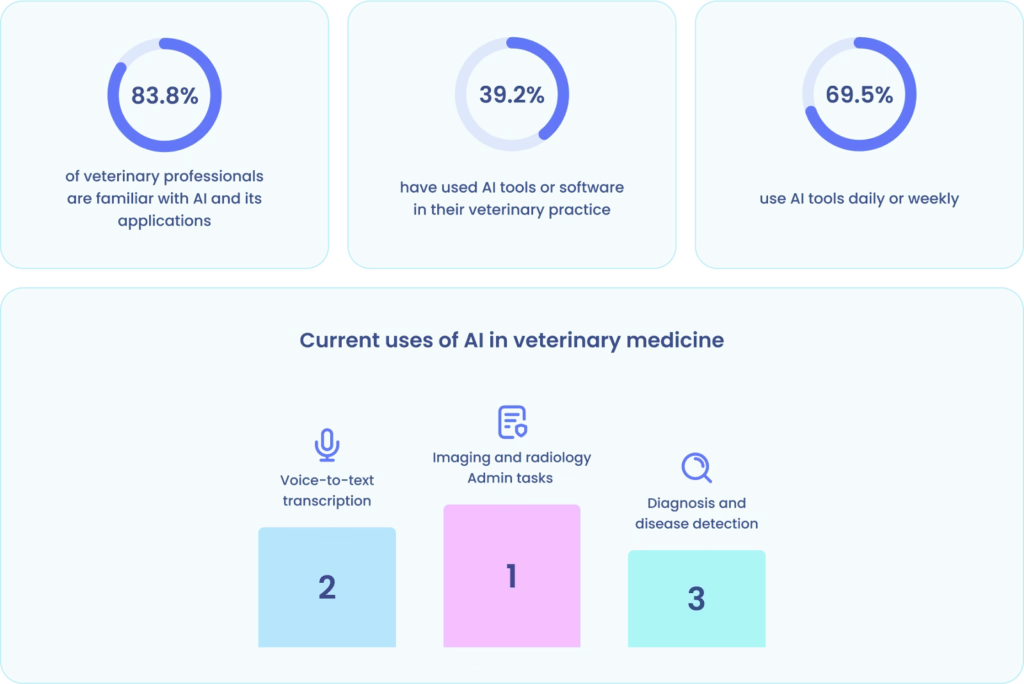
Our survey, conducted in collaboration with the American Animal Hospital Association (AAHA), found that over 83% of veterinary professionals are now familiar with AI, and nearly 70% already use it daily or weekly.
The challenge, however, lies not just in adopting AI but in how it integrates with your existing workflow.
Many veterinary PIMS today offer third-party AI integrations that handle only isolated tasks, such as transcribing visit notes or summarizing lab results. While helpful, these external tools often work outside of your main workflow. They can’t see the full patient journey, don’t have access to real-time medical records, and rarely communicate with other parts of the system. The result? More windows, more copy-paste steps, and data that lives in yet another disconnected space.
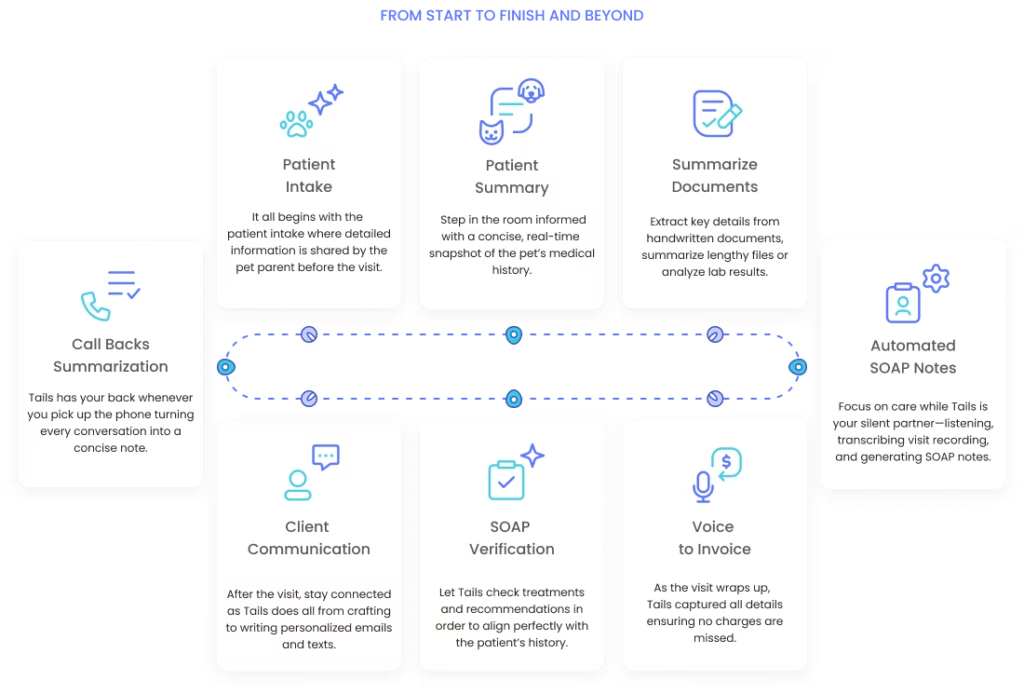
Digitail takes a different approach with Tails AI, a fully native AI assistant that’s embedded directly into the platform. Because it’s built into the same ecosystem as your records, invoicing, and communications, Tails doesn’t just assist, it truly collaborates with your team at every stage of the visit:
Patient intake – captures pre-visit details shared by the pet parent.
Patient summary – provides a concise, real-time snapshot of the medical history as you enter the room.
Document summarization – extracts key details from handwritten notes or lengthy lab reports.
SOAP note automation – listens, transcribes, and generates structured records while you focus on care.
Voice-to-invoice – ensures every service and product discussed is accurately captured in billing.
Post-visit communication – helps craft follow-up messages and summaries so clients stay informed.
Because Tails AI is part of Digitail’s native workflow, it delivers consistent context and continuity. It understands the patient journey from start to finish and beyond, transforming AI from a task-specific helper into a true workflow partner.
How to Determine Which Integrations Your Practice Needs
1. Start With Workflow Pain Points
The best integration strategy begins not with technology but with an honest assessment of where your practice struggles. Gather input from your entire team by asking questions like:
Where do we spend the most time on manual data entry?
What information do we frequently struggle to find or access?
Where do errors most commonly occur?
Which processes frustrate clients or create bottlenecks?
What reports or insights do we wish we had but can’t easily generate?
The answers to these questions reveal your highest-priority integration opportunities.
2. Consider Your Practice Type and Size
A single-doctor practice has different needs than a multi-location group. A specialty referral hospital requires different integrations than a general practice. Consider factors like volume of patients and appointments, complexity of cases, number and specialization of staff members, client demographics and expectations, and growth plans for the next 2-3 years.
3. Evaluate Total Cost of Ownership
When assessing potential integrations, look beyond the initial setup cost to understand the total investment required, including monthly or annual subscription fees for integrated services, implementation and training time, ongoing support and maintenance needs, and costs of not integrating (in terms of staff time, errors, and missed opportunities).
Sometimes, a solution with higher upfront costs but extensive built-in functionality proves more economical than a lower-cost PIMS requiring multiple costly integrations.
For most clinics, the real challenge isn’t deciding whether to use integrations—it’s understanding how well a PIMS actually integrates. Before choosing a new system, take a close look at what’s built in natively versus what depends on third-party tools. A platform that includes core workflows by design will always be simpler, faster, and more reliable than one held together by add-ons.
Next, review which integrations a PIMS already supports. Does it connect with your lab providers, accounting software, or pharmacy platforms? Does it cover the areas most critical to your daily operations? Evaluating these connections early helps ensure your software won’t just work today, it will grow with your practice tomorrow.
If you’re unsure how to assess your clinic’s integration needs, we can help. Book a demo with our team, and we’ll walk you through how Digitail’s built-in features and integrations align with your current workflows and where they can save your team the most time.
Ready to take the next step?
Book a demo today and explore how Digitail allows you to run your entire practice with one single tool.
Switching your Veterinary Practice Management Software (PIMS) feels like performing open-heart surgery on your clinic’s operations. It’s complex, critical, and frankly, a little terrifying. But let’s be honest: your outdated, clunky software is costing you more than just your patience. It’s costing you time, efficiency, and even revenue. The good news? A transition to a...
It’s a tough truth that most veterinary practice owners don’t want to face: your clinic is leaking revenue every single day. These aren’t dramatic, catastrophic losses that show up in monthly reports with flashing red flags. Instead, they’re small, seemingly insignificant drips that silently siphon money from your bottom line — day after day, week...
Veterinary medicine moves fast, and small inefficiencies can impact patient care, staff morale, and financial performance. A quick check on your practices: Temperature, Pulse, and Respiration (TPR) help you track key performance indicators and make informed decisions in just a few minutes. With Digitail’s reports, you can perform a clinic TPR in just 5–10 minutes and make...
The revolving door of staff turnover is exhausting and expensive. You’ve hosted the pizza parties and celebrated Vet Tech Week, yet your best people are still leaving. With a staggering 23% annual turnover rate plaguing the veterinary industry, it’s clear that traditional, one-off appreciation gestures are not enough. This guide provides a comprehensive, evidence-based framework...
In the time it takes to read this sentence, another pet owner just scrolled through a clinic’s Google reviews to decide where to book an appointment. Is it your clinic they’re choosing—or your competitor? For small and independent vet clinics, the battle for new clients isn’t won with expensive ad campaigns. It’s won in the...
Every veterinary team has felt it: the waiting room is quiet, the exam room is prepped, and the clock ticks past the scheduled time. Another no-show. It seems like a small, isolated frustration, but across weeks and months, the impact compounds. A 10% no-show rate in a busy practice can result in hundreds of lost...