



Every client conversation in one inbox, now for every clinic
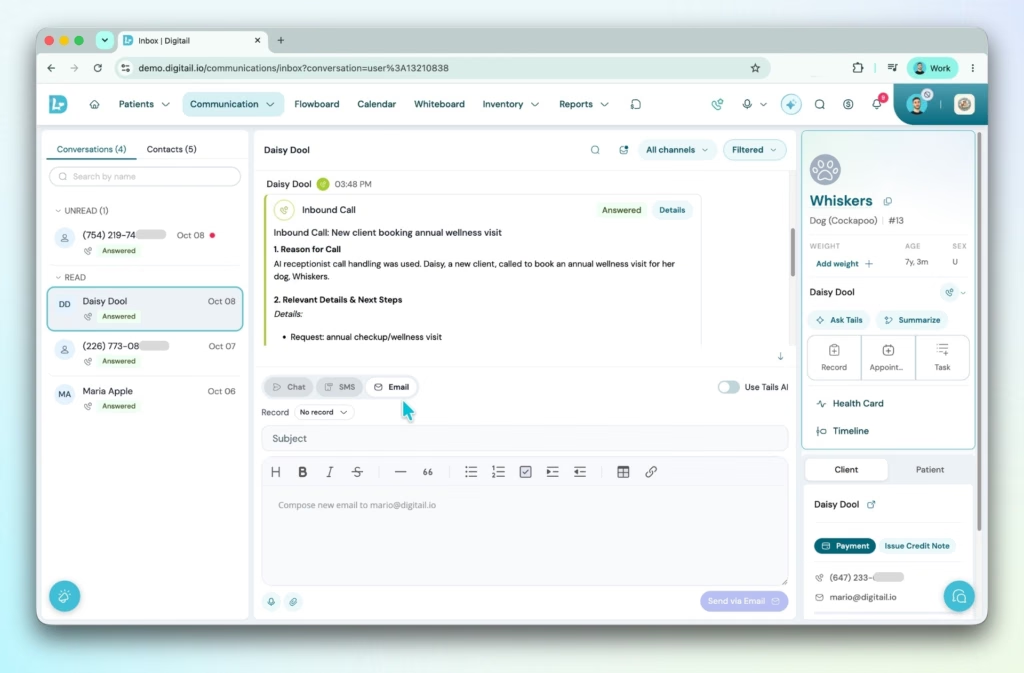
Replies get missed when chat, SMS, and email live in different places. The Communications Inbox is now available to every clinic, under Communications in the main navigation.
Each client’s chat, SMS, and email messages land in one thread, and practices using Digitail VoIP will find their calls there too.
Staff can mark a conversation unread to come back to it, filter by channel, draft a reply with AI or dictate it, and switch channels without leaving the thread. Automated reminders stay hidden by default.
Your front desk can see at a glance what’s been answered and what still needs a reply.
Read more in the help article →
See who changed a record, and when
When a treatment plan changes between shifts, nobody should have to ask around to find out what happened.
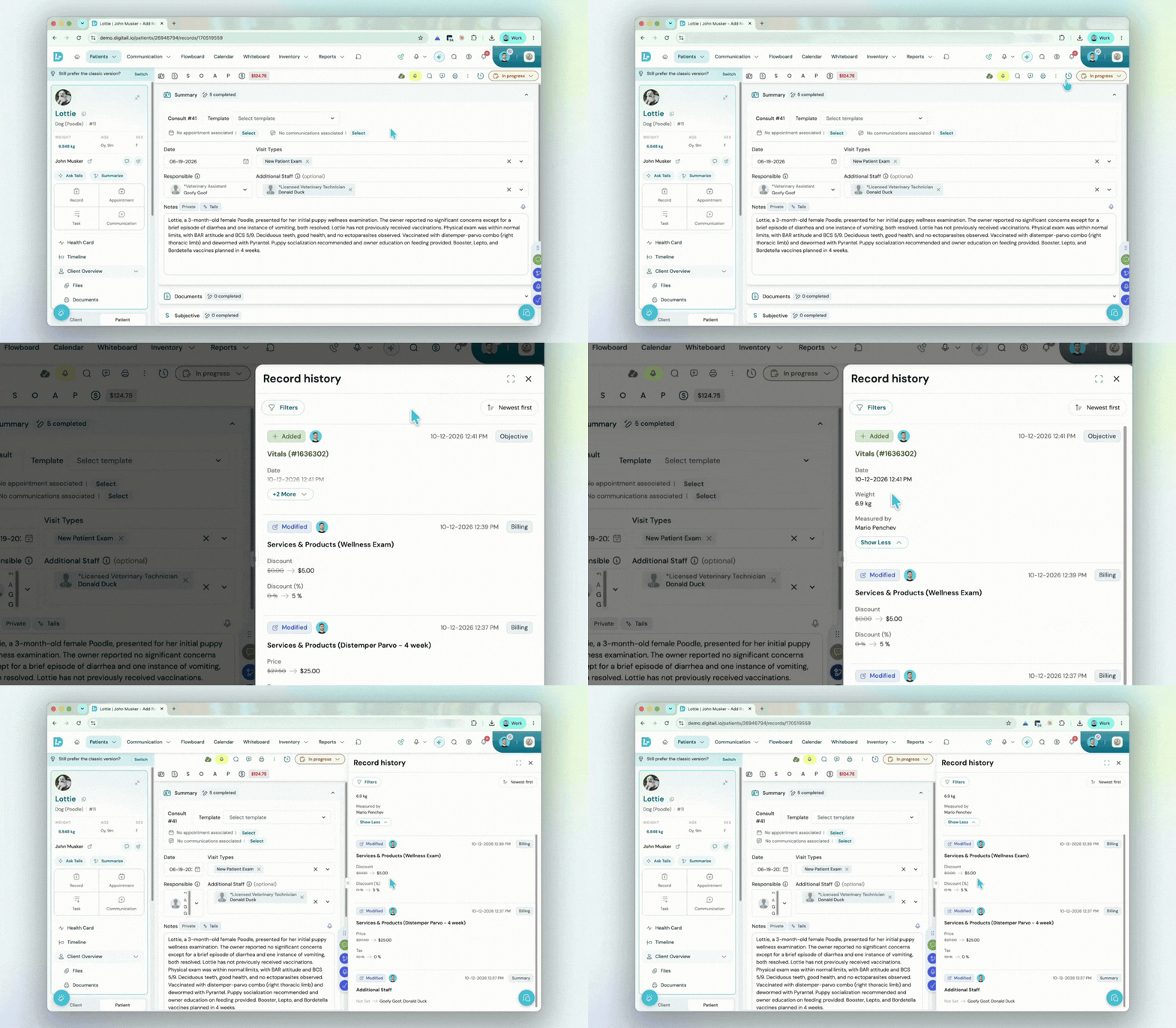
Record History lists every change to a visit in plain language, opened from the clock icon at the top of the record. It covers vitals, medications, treatment plans, services and products, payments, tasks, follow-ups, files, and more.
Each entry shows who made the change, when, and what it looked like before and after. Filters for team member, date, action, or section get you to the right entry fast.
Record History is now available to all clinics. It tracks changes on records created after it’s switched on for your clinic, so earlier records won’t show an edit history. Practice managers choose which roles can open it.
Visit the help article to find out more →
Early Access
Refills and renewals in fewer clicks
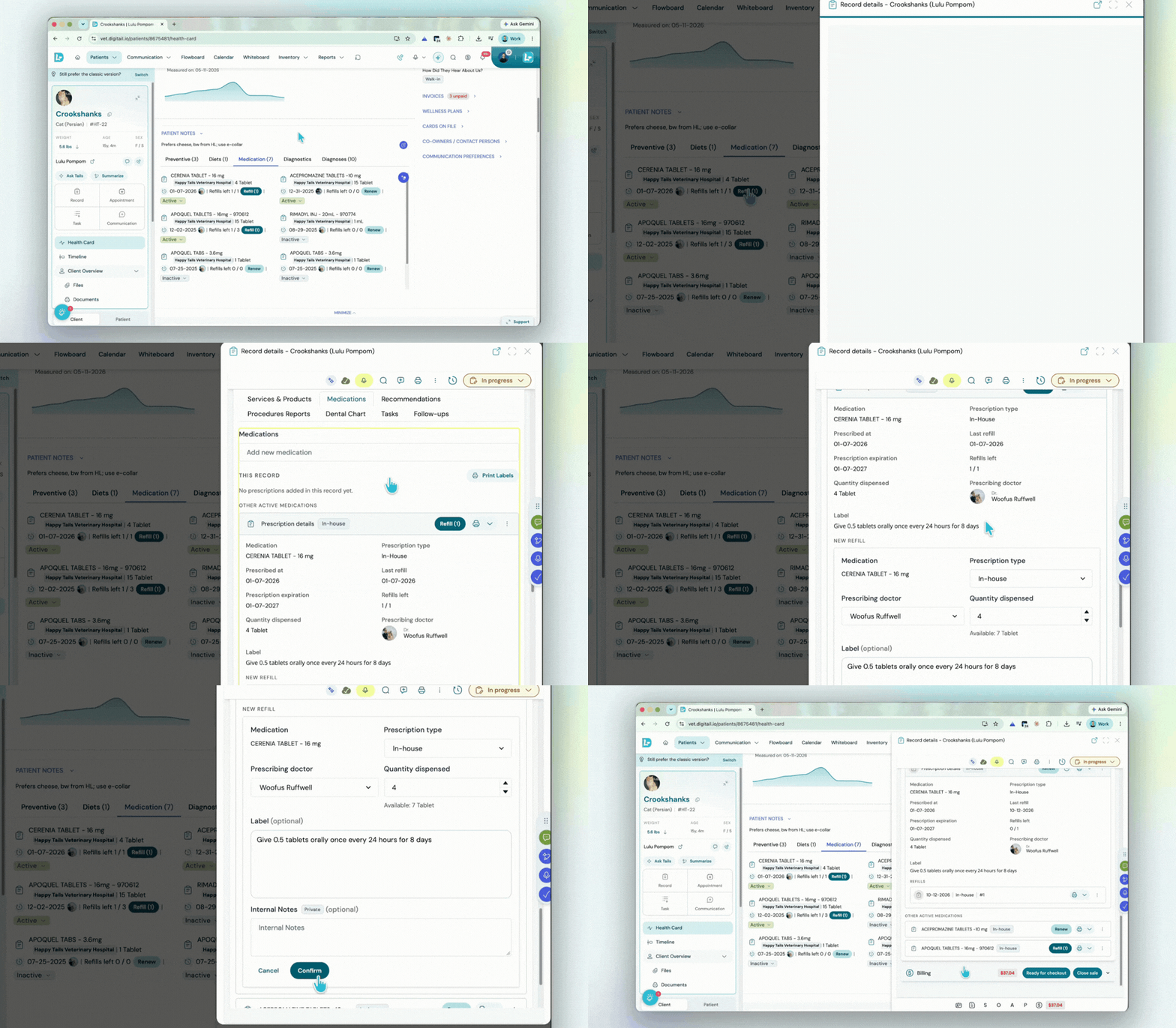
Refills and renewals are among the most repeated tasks in any clinic. Your team can renew an expired or zero-refill prescription in three steps, pre-filled from the original, with the old prescription closed and linked automatically.
A refill takes a single Confirm. Available stock shows right under the quantity, so a refill larger than what’s on the shelf gets caught before it’s confirmed.
Labels for several prescriptions print in one go, and a clock icon on each medication shows who refilled, renewed, or changed it.
Learn more about the improved medication workflow →
Clients choose how they hear from you
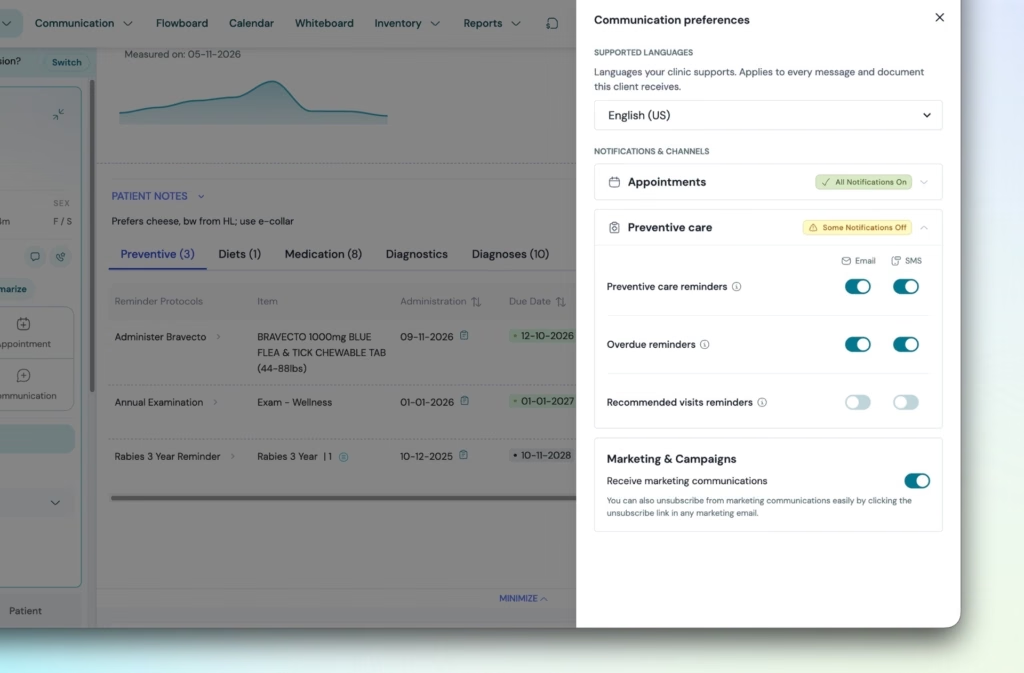
Reminders only help when they reach clients the way they want to receive them. We’ve improved how pet parents can set their own notification preferences: a preferred language for messages and documents, plus email or SMS for each type of notification, from appointment confirmations to overdue reminders.
Marketing messages switch off in one click, while essentials like shared documents and account security always go through.
On the Health Card, a green, yellow, or red status shows your team whether a client receives every notification, some, or none.
Learn more about the communications preferences →
Discharge notes and messages file themselves to the visit
Filing discharge notes and client messages against a visit by hand adds a step after every appointment. With Automatic Record Linking, the link happens the moment a message is sent.
A discharge note sent from a SOAP goes into the client’s communication history and links back to that visit. Files on a linked message land in the record’s files, with a badge showing where they came from.
Shared records now include the discharge note by default, so referring vets receive it too.
Two sales taxes on a single line item
Practices in regions with two sales taxes, such as GST and PST, shouldn’t need workarounds at checkout.
Each product, service, or sale line can now carry up to two tax rates, and Digitail adds them together automatically when the item is charged. Invoices, credit notes, and the Sales and Credit Note reports show each rate on its own line.
Existing products and services can be moved over in bulk, and their final selling price stays the same.
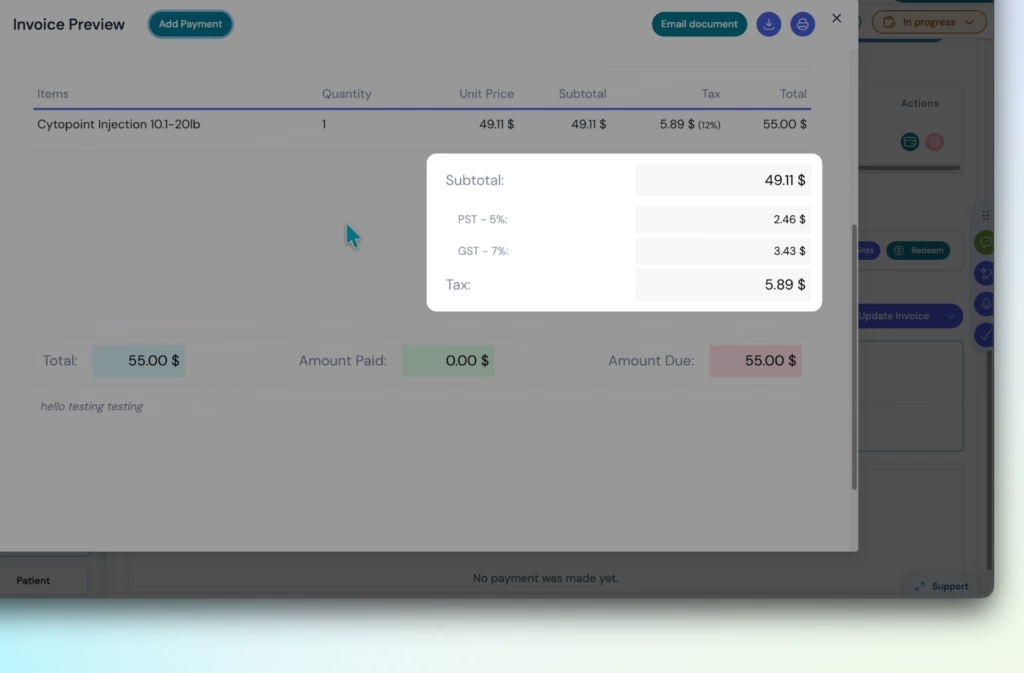
Learn how to enable and apply multiple tax rates →
Want to see Digitail in action? Book a demo →