



Take client calls without leaving the patient record
When the phone sits outside your practice software, whoever answers rarely has the chart open.
Digitail VoIP puts calling inside Digitail, so your team can make and receive calls from a client record, the Health Card, the Flowboard, or a dialer.
Every call and voicemail is recorded, transcribed, and summarized by AI, then saved to the patient record with next steps and a follow-up task already created.
Book several surgery drop-offs for the same arrival time
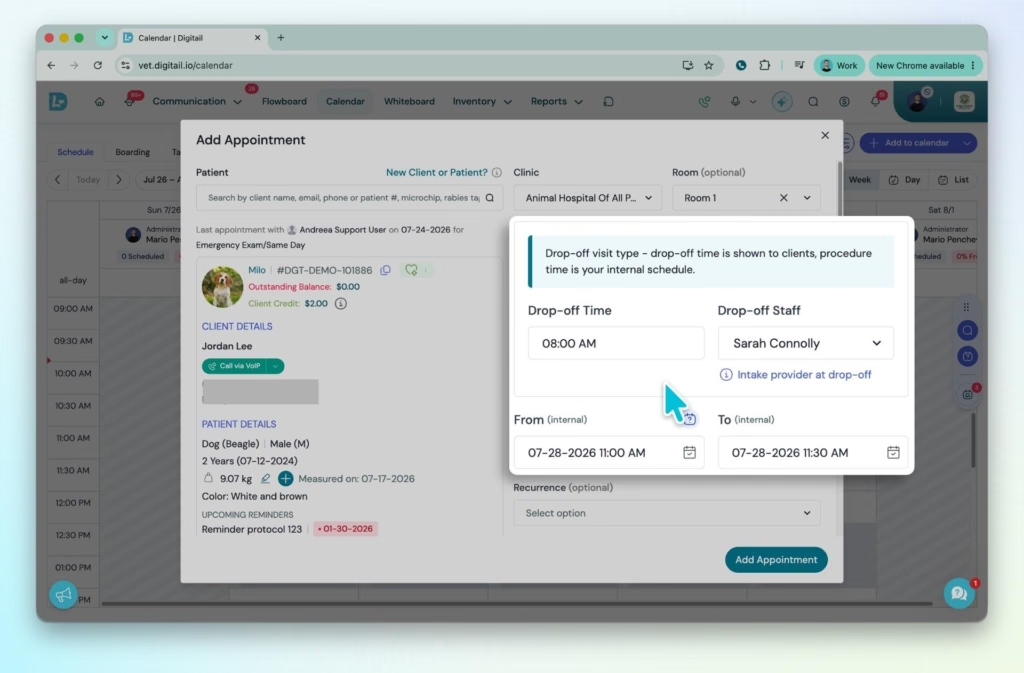
Surgery mornings shouldn’t be a pain to manage. Surgery Drop-Off Scheduling is now available to every clinic, so several surgery patients can share one drop-off time on the calendar, and reminders go out with the correct arrival time automatically.
Your front desk sees the real shape of the morning, and clients arrive when they’re actually expected, even when the surgery procedure is scheduled for later in the day.
Other Improvements
Choose who can backdate invoices and payments
Change Invoice Date and Change Payment Date are now separate permissions. Practice managers can decide who’s allowed to backdate billing without giving that access to everyone who creates or edits a record.
File a message to the right record as you send it
Attaching a message to a medical record after the fact is easy to forget. When you create a communication entry, you can now link it to the right record on the spot.
Learn more about linking records to communications →
Early Access
A Flowboard that keeps up with a busy floor
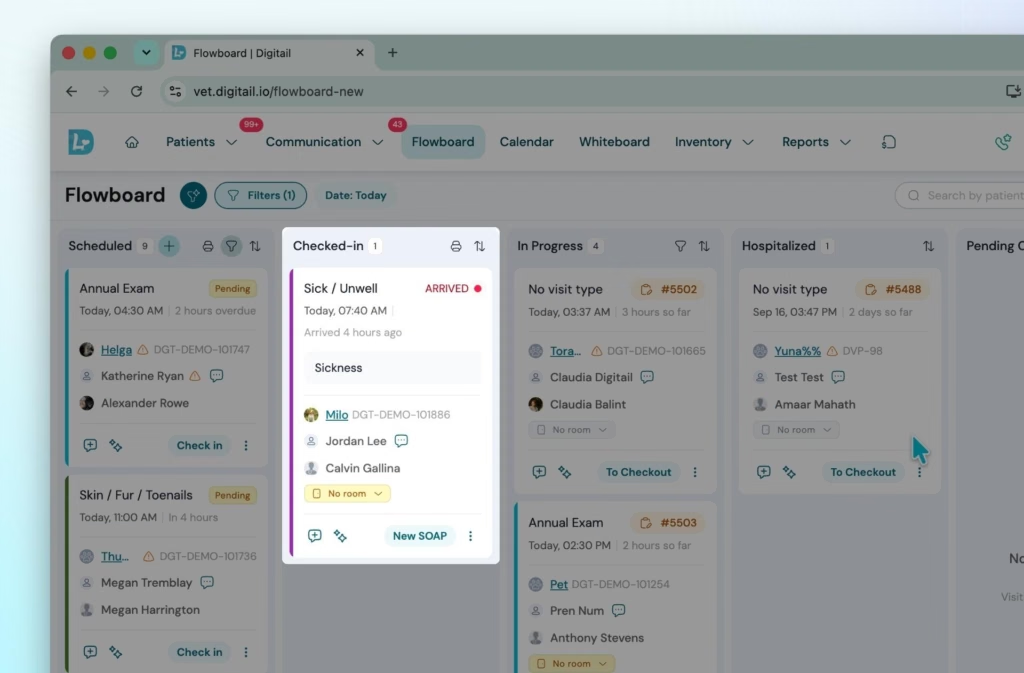
Knowing who’s waiting, how long they’ve waited, and what happens next shouldn’t mean reloading the page. The new Flowboard updates on its own every few seconds. Staff can drag a card between stages, reassign a room from the card itself, and save a filter view like “Front Desk” so it’s ready every time.
Display View turns a TV in the back into a live status board with no setup.
Client Self Check-In comes with it. A client taps “I’ve Arrived” on their phone, and their card moves to the Checked-In column with a badge your team can spot right away.
Learn more about the new flowboard →
Every client conversation in one thread
Chat, SMS, and email spread across separate tools make it easy to lose track of a conversation. The Communications Inbox keeps each client’s messages in a single thread, with the pet’s Health Card beside it: client notes, allergies, active medications, reminders, and diagnoses.
Your team can add an appointment, task, or record straight from the conversation, already filled in with the right pet’s details. Each message shows its channel, along with Sent, Delivered, and Seen status.
Learn more about the communications inbox →
Want to see Digitail in action? Book a demo →