



Staff hour tracking built in, wellness plan enrollment from home, and clinical notes from your wrist
Every update in March has the same goal: less time managing your software, more time focused on patients. From clocking staff hours without a separate tool to capturing clinical notes from your wrist, here’s what landed in Digitail this month.
Stop switching apps to track staff hours
Tracking staff time has meant either a separate time-clock system or a spreadsheet someone remembers to update. Time Clock changes that.
Staff can now clock in and out, log breaks, and manage their hours directly inside Digitail. No extra logins, no separate tool to maintain. Managers get a dedicated Time Clock report where hours can be reviewed, filtered, and edited to ensure accuracy. When you’re ready to export, one click produces a CSV file for payroll.
Accurate time records at the end of the week, with none of the back-and-forth.

Visit the help article to find out more →
Wellness plan enrollment doesn’t have to happen at the front desk
Getting a client to sign up for a wellness plan during a visit puts your team in a difficult spot. There’s a line of customers behind them, and the conversation takes time.
Pet parents can now enroll from home, on their own schedule, through the Digitail app. Send the proposal from inside Digitail and your client receives it directly. They review the plan, complete enrollment, and sign up at their convenience. Track the proposal status in real time and get notified the moment they sign.
Enrollment happens without holding up clients at the front desk.
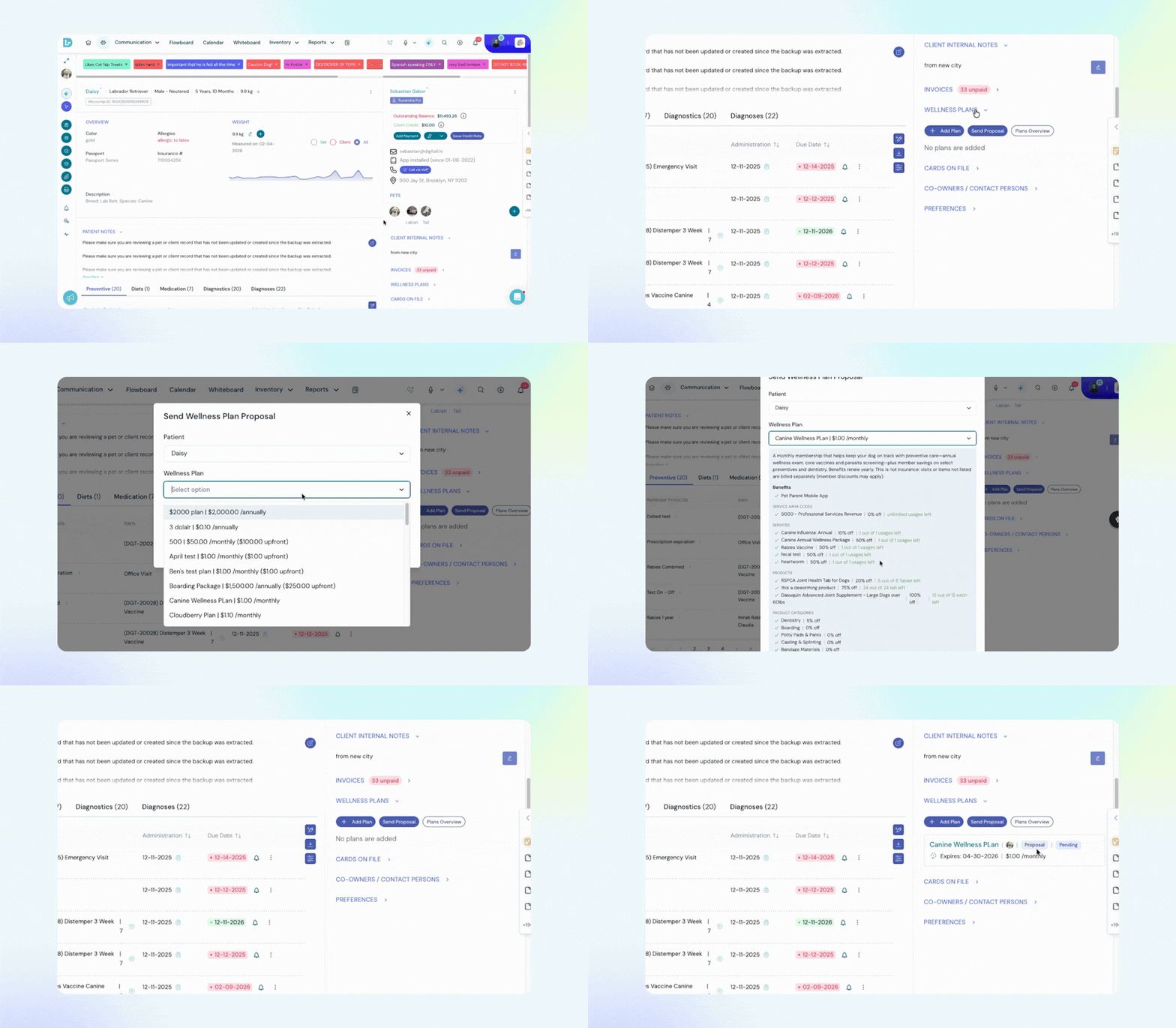
Learn more about pet parent proposals →
Always know where a task stands
Tasks in Digitail used to be either done or not done. Now every task carries a status, visible across your task list, calendar, and patient records.
This is now available to everyone with no setup required. Fewer things fall through the cracks between shifts, and your team spends less time chasing updates on things that are already in progress.
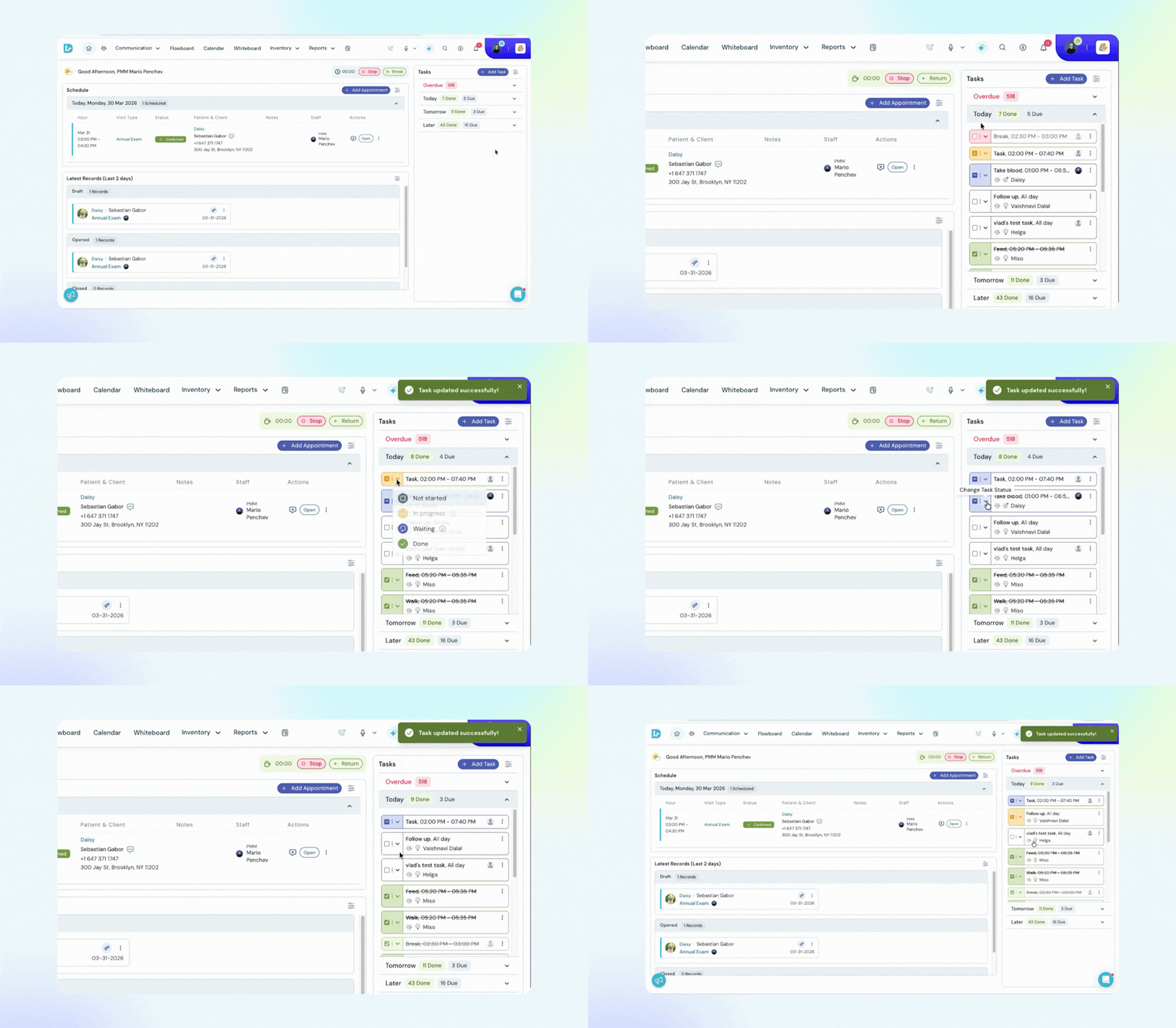
Learn more about task statuses →
Dictate clinical notes from your wrist, mid-consultation
Picking up your phone during an exam breaks the rhythm of a visit. The Apple Watch app for Tails VIP removes that friction entirely.
If you’re using Tails VIP on iPhone, you can now record a patient update directly from your Apple Watch, whether you’re moving between rooms or mid-consultation. Open the watch app, record your note, then tap ‘import watch recordings‘ on your iPhone when you’re ready.
Digitail transcribes the recording automatically, and it appears labeled as a new item ready to review.
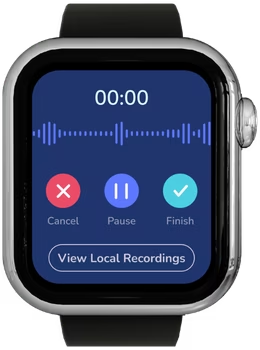
Getting started takes two minutes:
- Install the latest version of Tails VIP from the App Store.
- Confirm your Apple Watch is paired to your iPhone, and the watch app installs automatically. If it doesn’t appear, open the Watch utilities app on your iPhone and install it from there.
Now your notes can be captured during the visit with no distractions while you focus on the patient.
Other Improvements:
See which patients actually need your attention on the Flowboard
On a busy day, the In Progress column fills up quickly. You can now filter it by SOAP status, so you see only the patients at the stage that matters to your workflow right now. A cleaner view of the active workday, with less scrolling to find what needs action.
Link Records to the Right Appointment First Time
When a patient had multiple appointments on the same day, it was easy to link them to the wrong record. The appointment date, status, and care provider name now appear together, so the correct record is clear at a glance. No setup required.
Handle notifications without leaving the notification center
The Notification Center used to flag things that needed attention. Now it lets you act on them directly. Links in comments and notes are clickable. Task and appointment cards can be opened and viewed on the same screen, and comments can be replied to without navigating away.
Faster follow-through, fewer tabs.
See how practices using Digitail spend more time with patients.