



Pay commissions on actual payments received, automate overdue care patient follow-up, and more
April was about closing the gaps. Commissions that actually match your cash flow, automated follow-ups for lapsed patients, and team coordination that doesn’t rely on workarounds. Here’s everything that landed last month.
Pay Commissions on Money Your Clinic Has Actually Collected
Calculating commissions based on the sale date has always caused problems. An invoice goes unpaid, a payment reverses, and the numbers stop matching what’s actually in the bank.
The new Commission Report calculates commissions based on payment date, not sale date. If an invoice is created in March but paid in April, the commission shows up in April. Partial payments are handled automatically, with commission calculated only on the portion actually collected. Refunds, reversals, and unpaid sales are excluded from the report entirely, so what you see always reflects real cash flow.
Two new role-based permissions, View Commission Report and Export Commission Report, let you keep sensitive payroll data in the right hands.
Practice managers and finance teams close months faster, with fewer mistakes and no manual reconciliation between commission records and bank deposits.
Visit the help article to find out more →
Veterinary Reminder System That Follows Up on Lapsed Patients Automatically
When a vaccine or heartworm test goes past due, most clinics have one option: someone on reception works through a list by hand. Some patients never get the call. Others just needed a nudge.
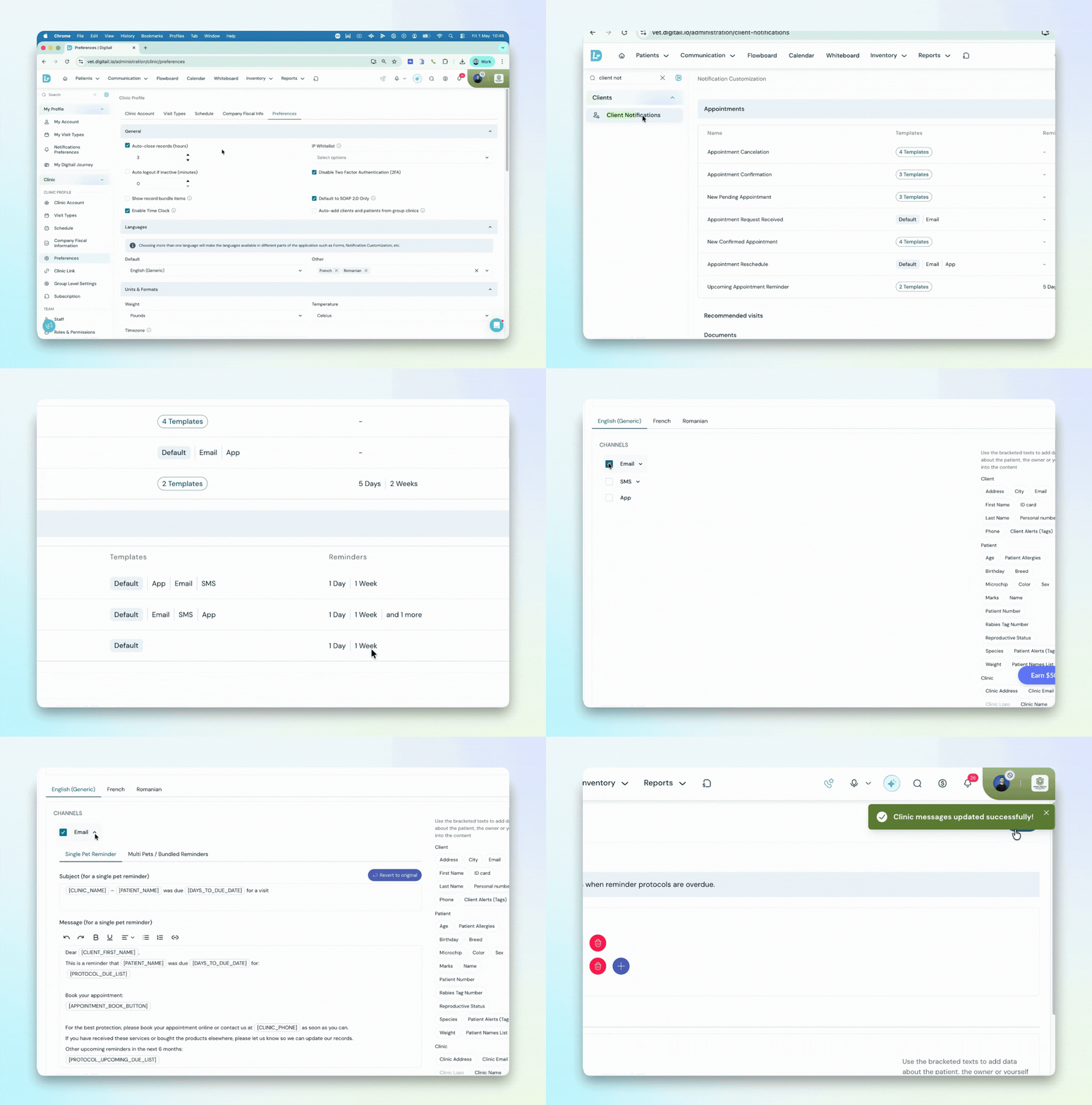
Overdue reminders give clinics an automated way to follow up with patients who have missed a preventive care protocol. This is a dedicated reminder type, fully separate from standard upcoming reminders, with its own template and message content built for a past-due situation.
If a client has multiple overdue protocols due on the same day, they receive one bundled message per channel instead of a stack of individual notifications. A direct booking link can be added to the email so pet parents can rebook in one tap.
Visit the help article to find out more →
Route Tasks to Your Whole Team Inside Your Veterinary PIMS
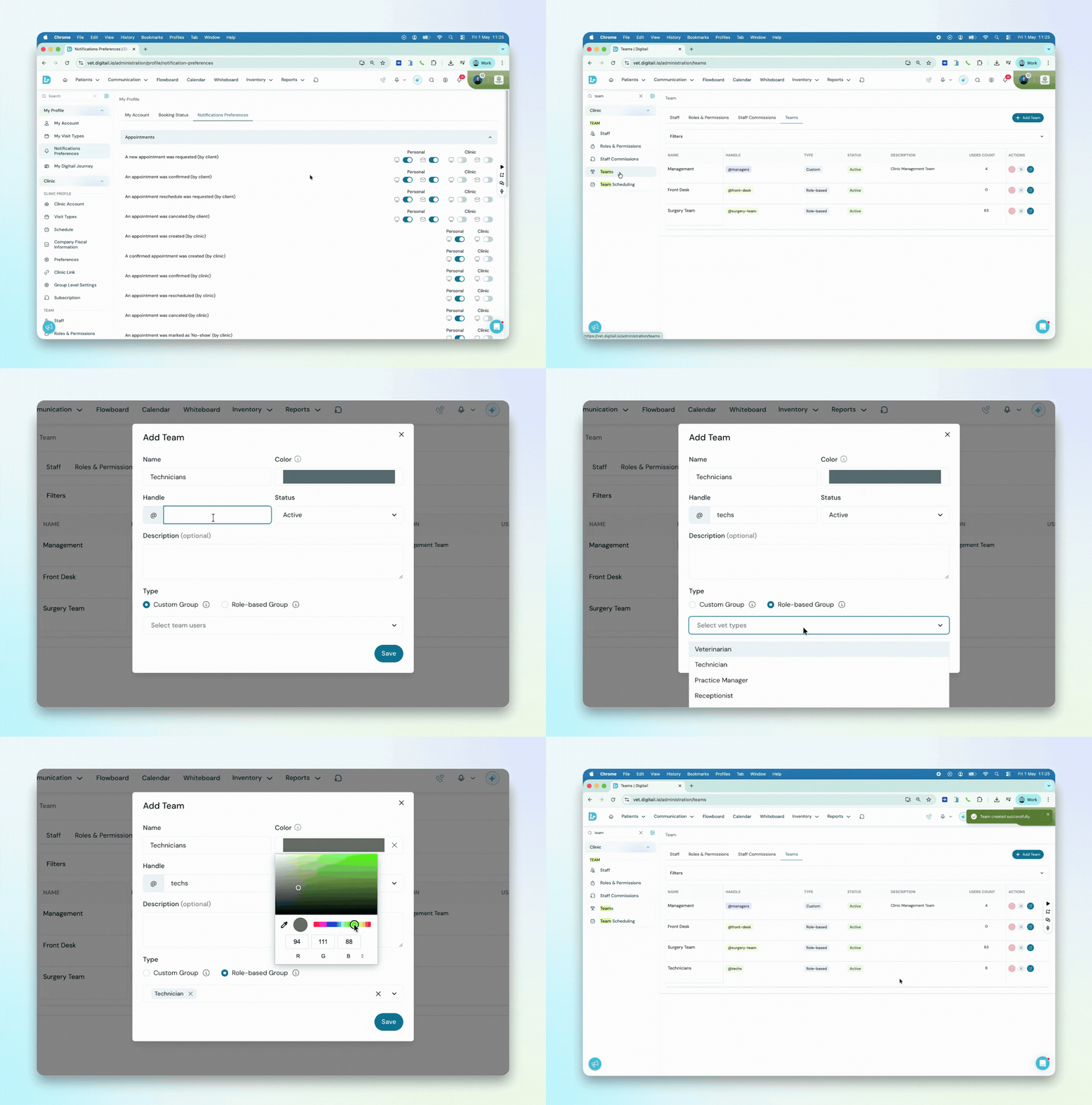
Clinics can now create named user teams like @techs or @surgery-team and assign tasks or tag them in comments directly.
Every team member is notified at once, and can tap “Assign to me” to take ownership, so individual accountability stays clear without manual reassignment. Team-assigned tasks appear in the Schedule view alongside individual ones, so nothing slips through between shifts.
The whole clinic coordinates through one system rather than a mix of Digitail and outside messaging tools.
Visit the help article to learn more →
A Complete Log of Every Client Communication, Email Attachments Included
Verifying what document was sent to a client has meant digging through inboxes, forwarded threads, or asking a colleague to resend. None of that should be necessary.
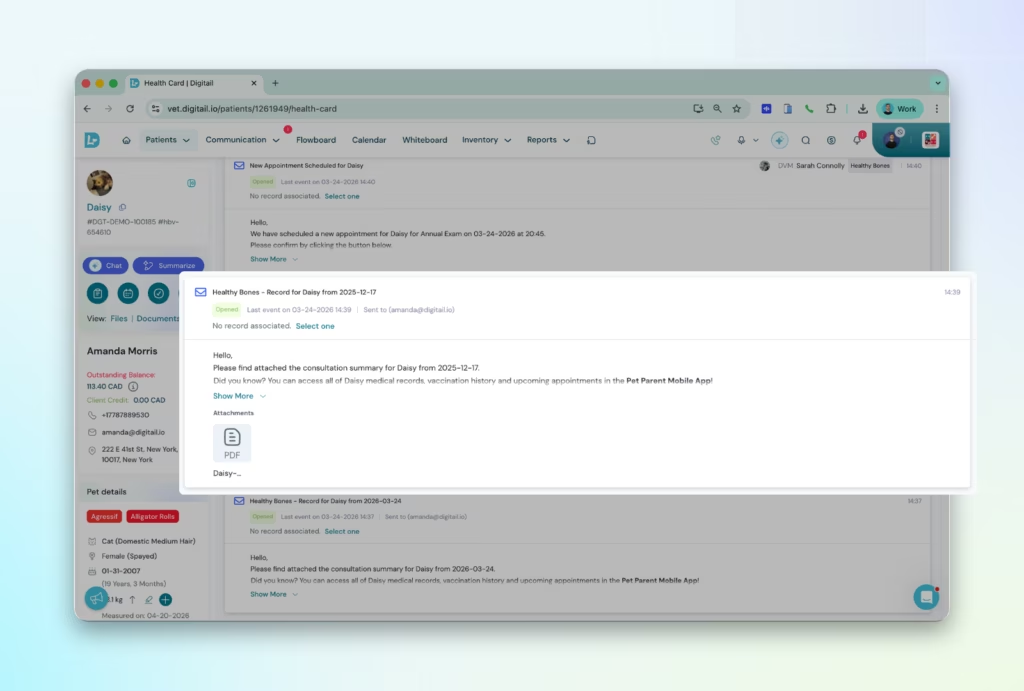
Every outgoing email sent through Digitail now stores the full email body and any attachments directly in the Client Communications timeline. Open any entry from the patient’s Health Card or the Notifications page to see the complete email and an attachments section, you can preview or download.
Covered email types include invoices, medical records, treatment plans, certificates and forms, preventive treatment histories, and discharge notes.
Veterinary Inventory Alerts That Appear Right When You Need Them
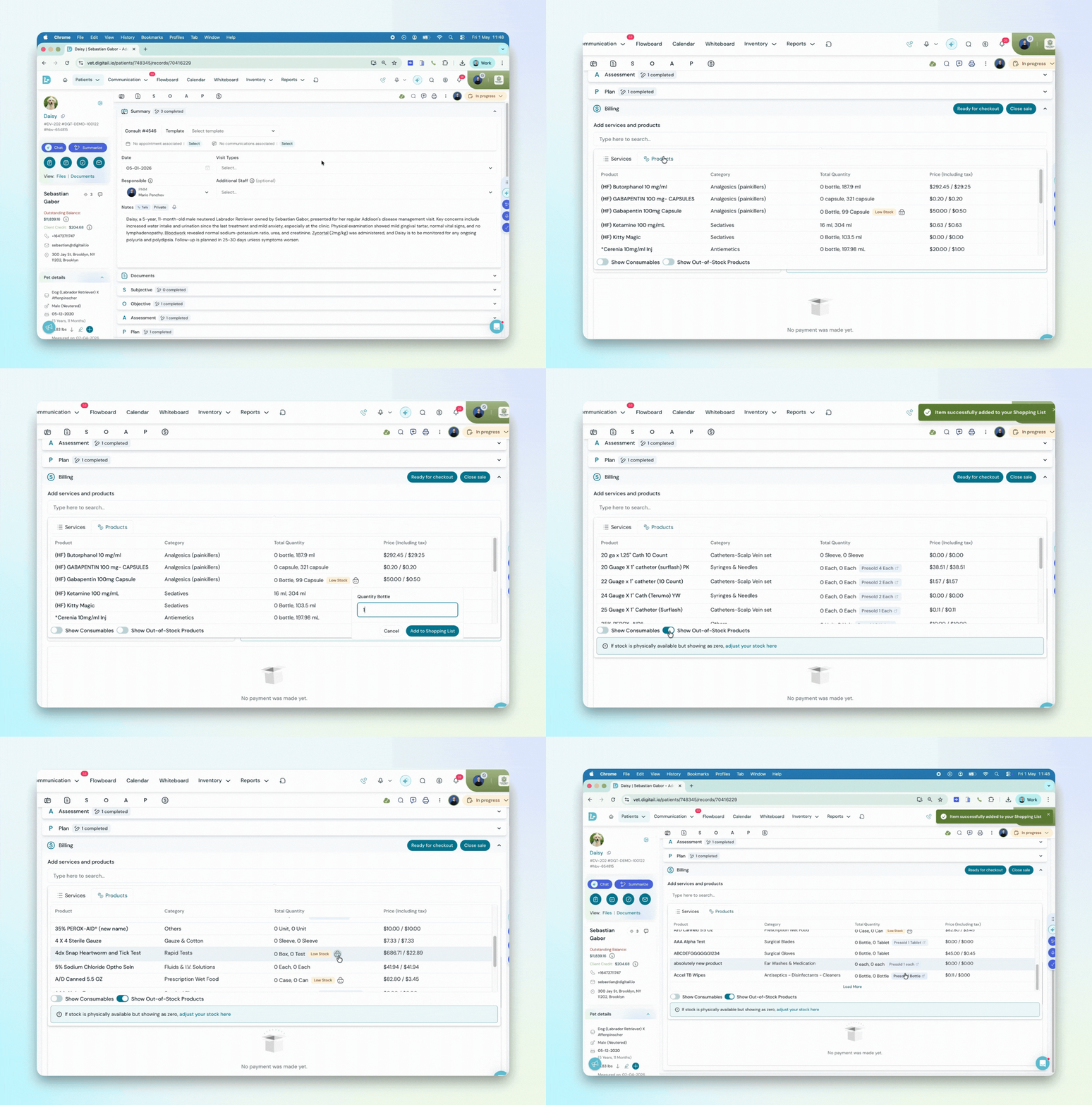
Low Stock and About to Expire tags now appear directly next to the quantity field when you search for a product during a sale. A quick-add basket icon lets you send that item straight to your Shopping List without leaving the sale screen. No need to navigate away from what you were doing.
Teams catch inventory gaps sooner, orders get placed before stock runs out, and the sale keeps moving without interruption.
Other improvements:
New Product Directory Filter Options
The Product Directory now includes two new filters:
- Product Type, which lets you isolate Normal products or Controlled Substances directly, and
- Consumable Type, which separates items tagged as consumables from standard goods.
The Reporting Menu Is Easier to Navigate
Financial Reports has been split into two clearer categories: Billing and Payments for transactional and account-related reports, and Revenue Reports for sales, provider, and performance-based reporting. No changes to report content or permissions.
Edit Product Details Without Leaving a Purchase Order
Correcting a product name, SKU, or unit of measure during a purchase order used to mean navigating away from the order entirely. You can now edit product details directly from within any draft, pending, or back-order purchase order.
See how practices using Digitail spend more time with patients.