

Best Veterinary Payment Processing & POS Systems

Choosing a payment system for a veterinary practice is no longer just about finding a card processor with a competitive transaction rate. Clinics today can choose between PIMS-integrated payment processing, standalone POS systems, client financing, payment plans, online payments, and text-to-pay solutions, and the right setup depends heavily on how your practice operates.
Some solutions connect payments directly to patient invoices and medical records. Others focus on simple card processing, remote collections, or helping clients finance larger treatment plans. The differences affect not only processing costs, but also checkout speed, reconciliation, missed charges, front-desk workload, and the overall client experience.
In this guide, we compare some of the most relevant veterinary payment and POS solutions.
1. Digitail Secure Payments: Best for PIMS-Native Veterinary Checkout
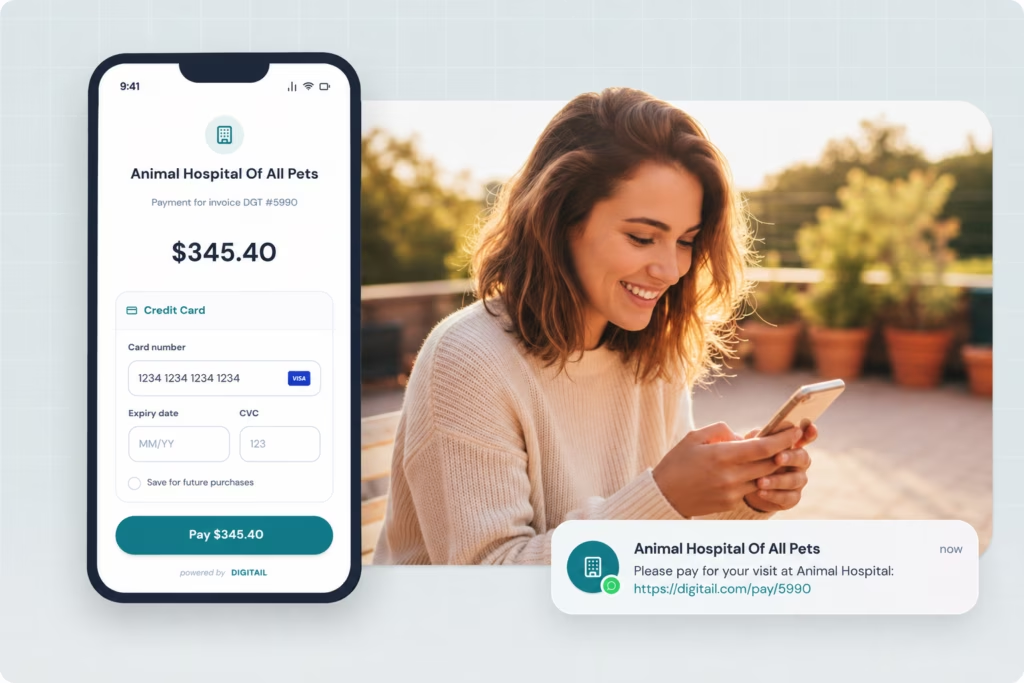
In Digitail, checkout starts inside the same system where the patient, treatment plan, invoice, and medical record already live.
The invoice total can be sent directly to the integrated terminal rather than being typed a second time. Once the payment is processed, it is automatically recorded against the invoice. Practices can also collect deposits, store cards on file, or send payment links by text, email, or through the Pet Parent App. Digitail currently also supports Buy Now, Pay Later and configurable credit card surcharging where permitted.
That integration matters earlier than checkout, too. Digitail connects treatment plans, invoicing, and AI-assisted charge capture. Its Voice-to-Invoice functionality can identify services and treatments from the clinical workflow and convert them into invoice items, reducing the risk that something performed during the visit is lost before the client reaches the front desk.
That is the key difference between a veterinary-native checkout workflow and a generic POS. One is receiving the final amount. The other has context about how that amount came to exist.
Best for: independent clinics, mobile practices, and multi-location groups that use or are considering Digitail and want clinical and financial workflows in a single system.
2. ezyVet: Best for Practices That Want a Veterinary Software With Processor Choice
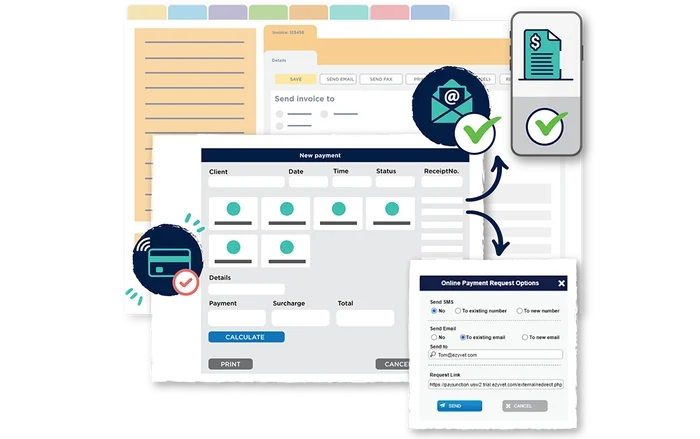
ezyVet also takes the integrated-payment route, but instead of positioning a single payment product as the entire answer, it supports connections with payment partners.
Its current payment integration directory includes providers such as PayJunction, CareCredit, and Windcave. ezyVet specifically positions these integrations around reducing manual processing, reconciliation work, and data-entry errors. Its payment workflows can also support remote payment links connected to invoices.
This can be attractive for larger or more complex practices that want medical-record-linked billing but also want flexibility in their relationship with the processor.
The tradeoff is vendor complexity. Your PIMS and payment processor may be technically connected while still maintaining separate contracts, support teams, pricing structures, and hardware requirements.
Best for: established, multi-site, specialty, or referral practices already considering ezyVet and wanting integrated payments without necessarily choosing a single payment provider.
3. PayJunction: Best for Adding Integrated Payments Without Replacing Your Software
Sometimes the PIMS is not the problem.
If the clinical system works but payments still require double entry, replacing the entire practice management platform would be an expensive way to fix checkout.
That is where a veterinary-focused integration strategy such as PayJunction can make sense.
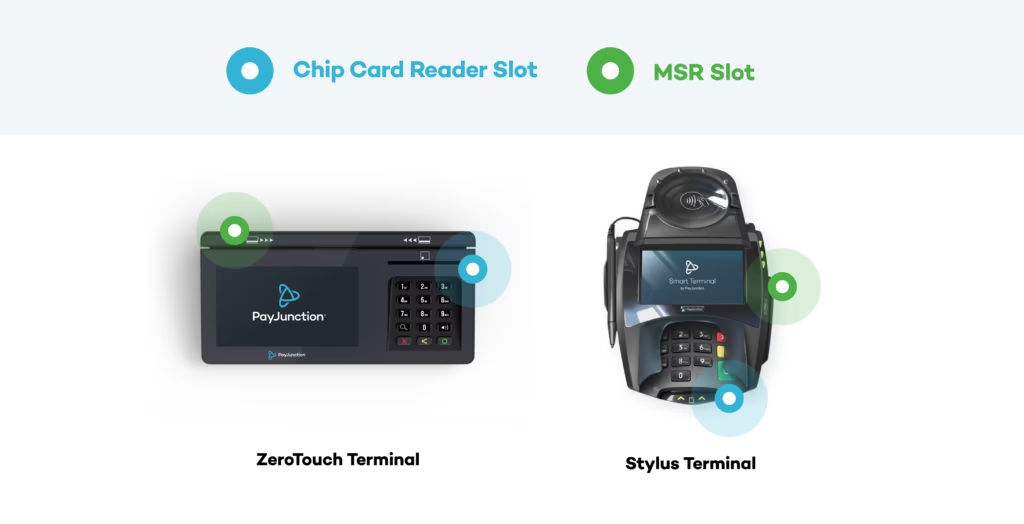
PayJunction supports veterinary software including Covetrus Pulse, ezyVet, Digitail, DaySmart Vet, and other platforms. Its goal is to integrate payment functionality into the software a practice already uses, rather than forcing the clinic into a separate retail workflow.
That makes PayJunction particularly relevant for practices evaluating merchant services independently from their PIMS.
It also illustrates an important point when comparing processors: integration depth should be part of your processing-rate calculation.
A processor that costs slightly less but sends your team back to manual data entry every time a transaction happens may not actually be cheaper.
Best for: practices that are satisfied with their PIMS but are looking for a more integrated payment-processing layer.
4. Scratchpay: Best for Combining Processing and Client Financing
Scratch is useful because it sits on both sides of the payment problem.
Scratch Checkout handles payment processing, while Scratch Pay provides financing that lets eligible pet owners spread larger veterinary expenses over time.
Those are separate products, even though they share a brand.
Scratch Checkout currently lists integrations with veterinary platforms including Cornerstone, AVImark, Covetrus Pulse, Vetspire, Impromed, and Digitail. Its financing product charges the practice a provider fee when a client uses a payment plan rather than a monthly setup fee.
For a clinic, the attraction is obvious: everyday transactions and access-to-care financing can potentially sit with the same vendor.
Just do not evaluate them as one price.
The processing economics of a $120 vaccination appointment and the financing economics of a $4,000 surgery are fundamentally different. Ask for the costs of Checkout and Scratch Pay separately.
Best for: practices that want integrated card processing and readily available financing at the point of care.
5. Weave Payments: Best for Text-to-Pay and Front-Office Collections
Weave approaches payments from another direction.
It started from the front-office communication problem, so payments sit alongside phones, texting, reminders, scheduling, and client engagement rather than inside the medical record itself.
For veterinary practices, Weave Payments currently supports options such as Text to Pay, online bill pay, QR-code payments, wireless terminals, Tap to Pay, cards on file, digital wallets, ACH, and financing options. Automated payment reminders can also be sent to clients with outstanding balances.
That makes it especially useful when the biggest problem is not taking payment at the desk. It is collecting money when the client is no longer standing there.
Think prescription pickup, outstanding invoices, deposits, mobile clients, or follow-up charges.
The distinction from a PIMS-native payment system is that Weave’s core strength is the client communication and collection experience. Practices should still examine how transactions are recorded in the financial record used for reporting and reconciliation.
Best for: clinics already using or considering Weave that want payments tightly connected to client messaging.
6. Square: Best for Simple Standalone POS
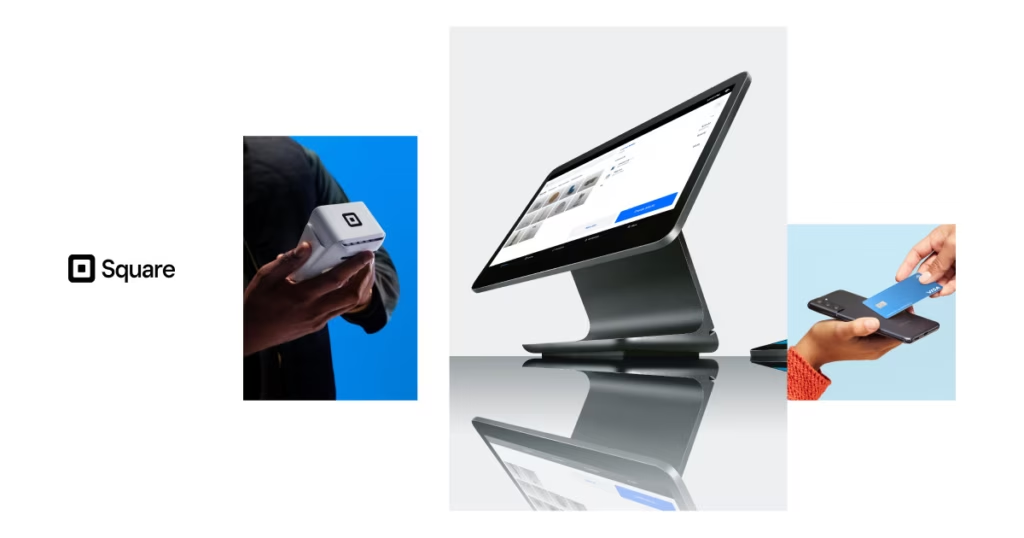
Square remains appealing for a simple reason: it is easy to understand.
You can set it up quickly, the hardware is familiar, there is no need to replace your PIMS, and the company publishes standard transaction pricing.
In the US, Square currently lists in-person card rates from 2.6% + $0.15 on its Free tier down to 2.4% + $0.15 on Premium. Manual entry and card-on-file transactions are listed at 3.5% + $0.15. The Free, Plus, and Premium POS tiers currently carry monthly per-location prices of $0, $49, and $149, respectively.
That transparency makes Square a useful benchmark even when you eventually choose another processor.
For veterinary practices, though, the bigger question is not whether Square can process the payment. It can.
The question is what happens on both sides of the transaction.
Square is a general business POS, not a veterinary medical record. If your patient invoice lives elsewhere, your team needs a reliable way to keep the two financial records aligned.
For a solo mobile veterinarian taking a manageable number of payments, that may be completely reasonable. For a 10-doctor hospital processing hundreds of medical invoices, the equation is very different.
Best for: startups, solo practitioners, mobile veterinarians, or clinics that need a straightforward, standalone payment system.
7. CareCredit: Best for Familiar Third-Party Financing
CareCredit belongs in a veterinary payments discussion, but not in the same column as Square or PayJunction. It is financing.
The pet owner applies for a revolving credit line, uses that credit to pay the clinic, and manages repayment through CareCredit. The veterinary practice receives payment rather than becoming the client’s lender.
CareCredit has also been expanding its veterinary software connections. As of May 2026, CareCredit said it integrates with major PIMS platforms including ezyVet, Covetrus Pulse, Cornerstone, AVImark, Impromed, Neo, and Digitail.
That makes financing easier to introduce during the estimate and checkout workflow without forcing staff to send clients into a completely disconnected process.
But financing should complement your payment stack, not substitute for it.
A clinic still needs a way to process everyday cards, deposits, online payments, refunds, and recurring charges.
Best for: practices wanting to provide a widely established third-party financing option for higher-cost care.
8. VetBilling: Best for Practice-Controlled Payment Plans
VetBilling differs from CareCredit and Scratch Pay in that the practice remains in control of the payment-plan decision.
The clinic determines which clients are offered a plan, the deposit requirements, the repayment terms, and the approval criteria. VetBilling then manages recurring payments, payment troubleshooting, client support, and ongoing plan administration.
Its pricing model is also unusual for this category. VetBilling currently publishes flat monthly subscriptions of $69 for Basic and $89 for Premium, rather than charging a percentage-based platform fee on every payment plan. Standard card-processing costs can still apply.
This can be interesting for practices that want greater control over financial accessibility rather than relying entirely on third-party credit approvals.
It also changes the risk equation. With third-party financing, the lender largely owns the credit relationship. With a practice-controlled plan, your clinic makes more decisions about whom to approve and on what terms.
Best for: practices that want to offer structured in-house payment plans and retain control over eligibility.
Veterinary Payment and POS Systems Compared
| Solution | Type | Best fit | Connection to the medical record | Main tradeoff |
| Digitail Secure Payments | PIMS-native checkout + processing | Practices wanting payments inside the clinical workflow | Native | Requires Digitail as the PIMS |
| ezyVet + payment integrations | PIMS + integrated processors | Multi-site and established practices wanting processor choice | Integrated through payment partners | More than one vendor may be involved |
| PayJunction | Integrated payment processor | Practices keeping their existing PIMS | Integrates with multiple veterinary platforms | Integration depth depends on the PIMS |
| Scratchpay | Processing + financing | Practices wanting card processing and client financing from one vendor | Integrations available with multiple PIMS | Processing and financing are still separate products |
| Weave Payments | Payments + client communication | Clinics focused on text-to-pay and remote collections | Depends on practice software setup | Payments are only one part of a broader communications platform |
| Square | General POS + processing | Startup, solo, mobile, or low-complexity practices | Not veterinary-record-native | Medical invoices may require manual reconciliation |
| CareCredit | Third-party financing | Practices wanting a familiar client financing option | Integrates with many veterinary PIMS | Not a replacement for payment processing |
| VetBilling | Practice-controlled payment plans | Practices wanting to offer their own installment option | Works alongside the practice’s existing systems | Practice remains involved in approval and plan structure |
What About Clover, Lightspeed, and Other Retail POS Systems?
They can still have a place in veterinary medicine, particularly if your practice operates a meaningful retail business selling diets, supplements, accessories, or other products.
A dedicated retail POS may offer deeper merchandise inventory tools, barcode workflows, retail reporting, or multi-store functionality than a veterinary PIMS.
The question is whether that retail transaction needs to be included in the patient’s medical and financial history.
Selling a bag of dog food through a retail POS is one thing.
Charging for an exam, CBC, radiographs, injectable medication, hospitalization, and discharge medications through a system that does not know what happened during the visit is another.
If most revenue comes from medical services, the medical record should usually remain the source of truth for the invoice. If retail is a substantial business line in its own right, a dedicated retail POS can make more sense alongside the PIMS.
The Cheapest Processing Rate Is Not Always the Cheapest Payment System
Processing fees matter. A high-volume veterinary hospital moving millions of dollars annually should absolutely negotiate them.
But comparing payment systems solely by percentage rate ignores the operational costs associated with each transaction.
Imagine Processor A costs slightly less but requires the receptionist to manually enter every invoice total into a terminal.
Processor B automatically receives the exact amount from the PIMS and posts the successful payment to the invoice.
The fee difference is visible on a merchant statement.
The second cost is hidden across thousands of small tasks: typing totals, correcting mistakes, matching deposits, finding missing transactions, answering accounting questions, and closing the books at the end of the day.
The more transactions a practice processes, the more that hidden workflow matters.
What Veterinary Practices Should Compare Before Switching
- Invoice connection: Does the amount flow from the medical record to checkout automatically, or does someone re-enter it?
- Reconciliation: Does a completed payment automatically update the correct invoice?
- Charge capture: Can the system help identify treatments or services that never made it onto the invoice?
- Payment flexibility: Can clients pay by terminal, link, text, app, card on file, or remotely?
- Deposits and no-show protection: Can you collect payment before the appointment?
- Financing: Are payment plans or third-party financing available when the estimate is too large for a single payment?
- Refunds and disputes: Can staff manage these without moving between multiple dashboards?
- Recurring payments: Can the system support wellness plans, memberships, or other recurring charges?
- Multi-location reporting: Can finance teams reconcile locations separately and together?
- Total cost: What will you pay in transaction fees, subscriptions, hardware, PCI or compliance fees, chargebacks, and staff time?
Which Veterinary Payment System Is Best for Your Practice?
There is no universal winner because different practices are solving different problems.
A mobile veterinarian may value a payment link and simple card processing more than sophisticated multi-location reconciliation.
A startup clinic may care about keeping fixed costs low.
A high-volume hospital may care far more about preventing missed charges and automating end-of-day reconciliation.
A multi-location group may prioritize reporting, permissions, consistent workflows, and the ability to negotiate processing rates at scale.
And a practice seeing frequent treatment-plan declines may get more financial value from improving financing options than from changing its card processor.
The best system is therefore not necessarily the one with the longest feature list or the lowest advertised percentage.
It is the one that removes the most friction between care delivered, charges captured, invoices created, clients paying, and money being reconciled.
FAQ
The POS handles checkout, while the payment processor transfers funds from the client’s payment method to the practice. In veterinary medicine, the most efficient setups connect both to the PIMS so the amount due comes directly from the patient invoice and the completed payment writes back automatically.
Usually not. If your PIMS already supports integrated terminals, online payments, refunds, cards on file, and reconciliation, adding another POS can create an unnecessary second financial system. A separate retail POS may still make sense if your clinic operates a substantial pet-supply retail business.
The value grows with transaction volume and workflow complexity. Integrated processing can eliminate the need to retype invoice totals and automatically link payments to the correct invoice. For a small practice processing relatively few transactions, manual reconciliation may be manageable. For a busy hospital or multi-location group, the accumulated administrative work can become substantial.
Third-party financing involves another financial provider extending credit to the pet owner. The clinic is generally paid, while the financing company manages repayment. A practice-controlled payment plan lets the clinic decide eligibility and repayment structure, with a tool helping administer the plan.
Remote payment links, cards on file, deposits, digital wallets, and automatic PIMS reconciliation are particularly useful because a mobile veterinarian may never have a traditional checkout desk. Digitail, for example, allows payment links to be sent by text or email and records the resulting transaction back in the PIMS.
Look beyond whether the same terminal works at every location. Evaluate location-level reporting, deposits, permissions, refunds, processor reconciliation, centralized accounting, negotiated rates, and whether one client can move between locations without creating fragmented financial records.
A Veterinary PIMS Built for
Connected Workflows
See how Digitail can reduce disconnected processes across your practice.