The front desk at a busy veterinary clinic is one of the most demanding environments in healthcare. Phones ring, pets are anxious, pet parents have questions, and the care team needs records ready before the doctor walks in. When check-in processes are manual and disconnected, small inefficiencies compound into real problems: missed information, delayed care, and burned-out staff.
According to the American Veterinary Medical Association (AVMA), clinics still relying on manual processes report significantly higher rates of staff burnout and client dissatisfaction.
At Digitail, we believe technology should solve problems, not create them. Our veterinary software is built to transform that front-desk chaos into a smooth, predictable, and automated flow. By connecting every stage of the patient journey, Digitail empowers your team to focus on what matters most: delivering exceptional care.
Here are 4 simple steps on how you can redesign the front desk workflows with Digitail to eliminate the friction:
Step 1: Automate Intake Before the Visit with Tails AI
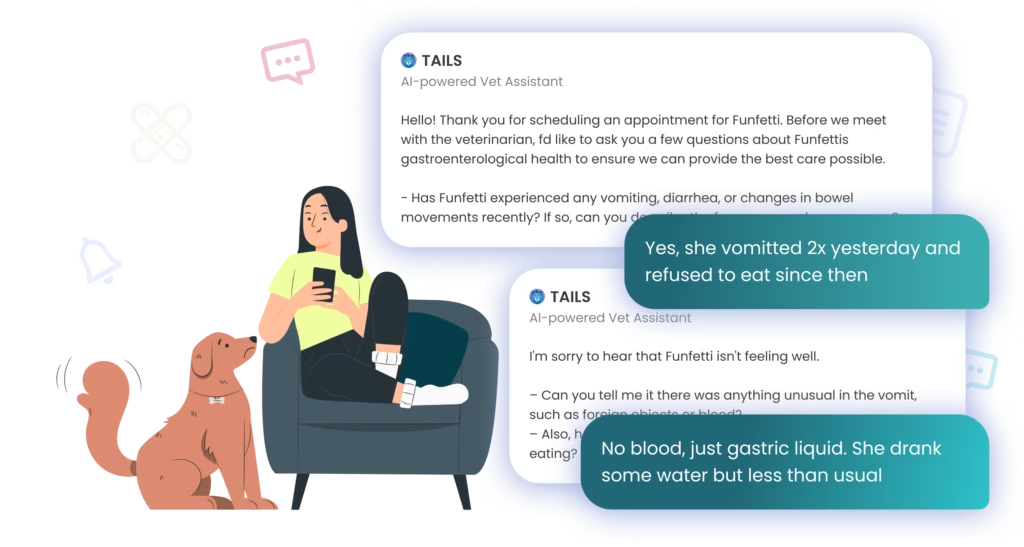
The best way to solve front desk chaos is to get ahead of it. With Tails AI Patient Intake, the check-in process begins up to three days before the appointment.
Pet parents receive a notification on the Digitail app and are guided through a smart, conversational intake process. Tails AI asks relevant questions about the reason for the visit and the patient’s history, collecting crucial information ahead of time. This conversation is then automatically summarized and added to the appointment notes and the SOAP record.
The Result:
✓ Your team spends less time on data entry and more time on patient care.
✓ You get a more detailed and accurate patient history directly from the client.
✓ Your vets and techs walk into the exam room fully prepared with all the necessary context.
Dr. Michelle Woodruff of Woodruff Vet Services estimates that automated intake saves 5-10 minutes per appointment—time that previously would have been spent gathering basic information.
Step 2: Gain Total Visibility with the Patient Timeline
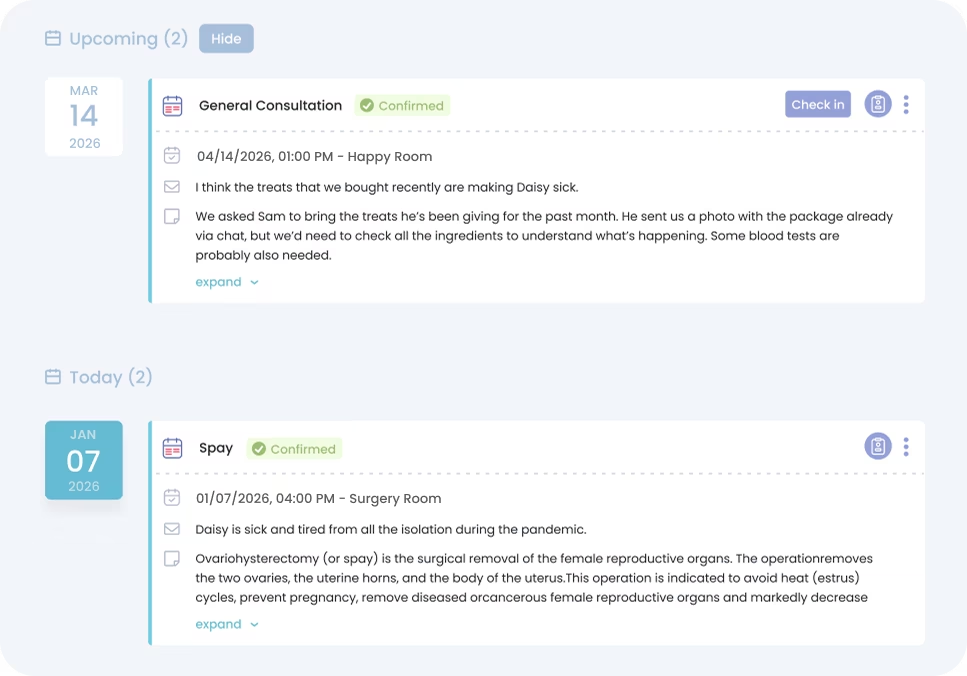
Once a patient is in the system, every interaction from appointments and medical records to client communications and tasks is captured in one central Patient Timeline.
No more hunting for information across different tabs or records. The timeline provides a single, aggregated view of the patient’s entire journey with your clinic. You can quickly see past diagnoses, view upcoming appointments, read client updates from the app, and even access pinned records for easy comparison.
The Result:
✓ Everyone on your team has access to the same complete and up-to-date information.
✓ Easily track a patient’s history to make more informed clinical decisions.
✓ Quickly find what you need without navigating complex menus.
Step 3: Streamline In-Clinic Flow from Calendar to Checkout
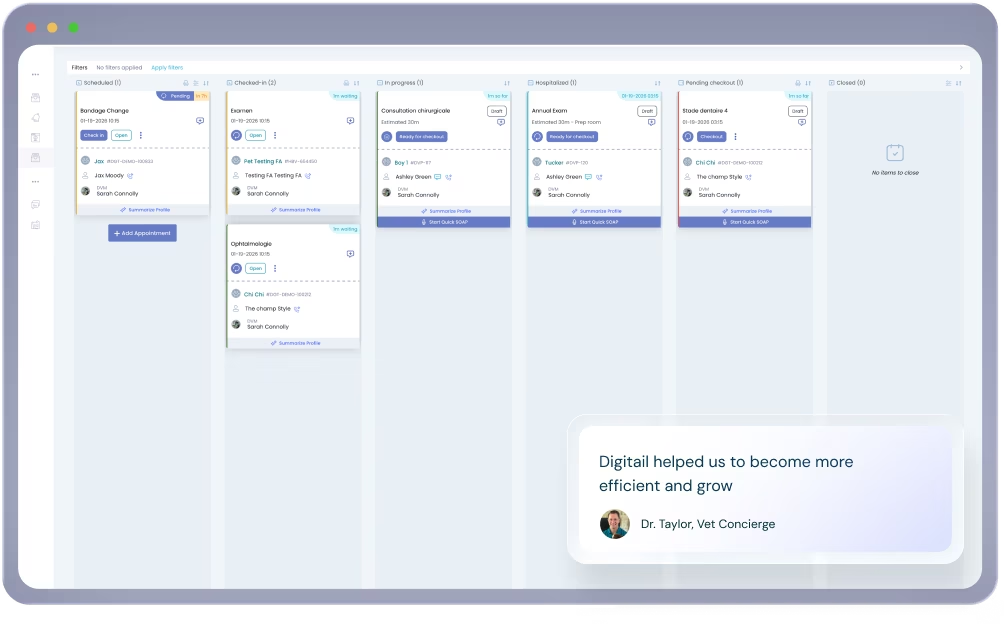
Automation connects every step of the patient’s journey. The Calendar and Flowboard work together to give your team a real-time, at-a-glance overview of the entire clinic’s workflow.
When a client completes their AI-powered check-in, the appointment status updates automatically. As the patient moves from the waiting room to the exam room, and eventually to checkout, their status changes on the Flowboard. This keeps everyone from the front desk to the medical team perfectly in sync.
The Result:
✓ Know exactly where every patient is in their journey without having to ask.
✓ The front desk knows when a room is free, and the medical team knows when the next patient is ready.
✓ Ensure a seamless transition from one stage of the visit to the next, from check-in to discharge.
Step 4: Automate Proactive Client Communication
Client communication is one of the highest-volume, most time-consuming tasks for front desk teams. Reminders, follow-up messages, post-visit instructions, and responses to questions add up quickly across a full day of appointments.
AI communication tools can dramatically reduce the time this takes while actually improving message quality. The workflow is simple:
Select a communication method (email or SMS) and enable AI generation.
Choose a common topic from the Tails AI Assistant Prompt Library (includes over 100 of the most common prompts) or type your own instructions.
The AI generates a professional message with an auto-generated subject line, in the appropriate tone and length.
Review, adjust if needed, and send.
Custom templates can be saved at the user level, so receptionists who send the same types of messages repeatedly can build a personal library that makes every communication faster. Tone and length are adjustable, and previous versions can be restored if a revision doesn’t land right.
All sent communications, regardless of channel, are centralized in a notification hub where staff can filter by client, type, date, and delivery status (delivered, opened, clicked, not delivered).
The Result:
✓ Drastically reduce the time spent on routine client messaging.
✓ Improve message quality and consistency with AI-assisted drafting.
✓ Gain critical visibility into whether clients have received and opened important communications.
Bringing It All Together
Front desk chaos rarely comes from a single problem. More often, it’s the result of disconnected workflows: intake happening at the last minute, patient information scattered across different screens, and communication managed through multiple tools.
When clinics combine AI-powered intake, centralized patient timelines, real-time workflow management, and automated communication, the entire practice operates more smoothly.
What this means for your clinic
👩💼 Receptionists spend less time managing paperwork and more time helping clients.
🩺 Veterinarians walk into appointments prepared with a complete patient context.
🐾 Technicians know exactly what stage each patient is in.
😊 And pet parents experience a faster, more organized visit.
The result is not just a calmer front desk, it’s a clinic where every team member can focus on what matters most: delivering exceptional care to every patient.
Give Your Team the Tools They Deserve
Replace manual tasks and disconnected tools with an all-in-one software designed for modern veterinary care.
Running a high-performing clinic in 2026 isn’t just about having the latest tech; it’s about having a toolkit that protects your time, your team’s sanity, and your bottom line. Whether you’re building a new practice from scratch, planning a renovation, or just doing an honest audit of what you have, a structured equipment list helps....
Most veterinary practice owners think about profitability in terms of appointment volume and fee schedules. Add more clients, raise prices, and see more patients per day. That math makes sense on the surface. But many clinics that increase appointment volume still struggle to improve their margins. The reason is often the same: the operational infrastructure...
If you still think AI in veterinary software is mainly about dictating SOAP notes, you’re seeing only a small fraction of what’s happening in modern veterinary practices. While automated transcription is a great first step, limiting AI to a single task is like using a cutting-edge ultrasound machine as a paperweight. Over the past few...